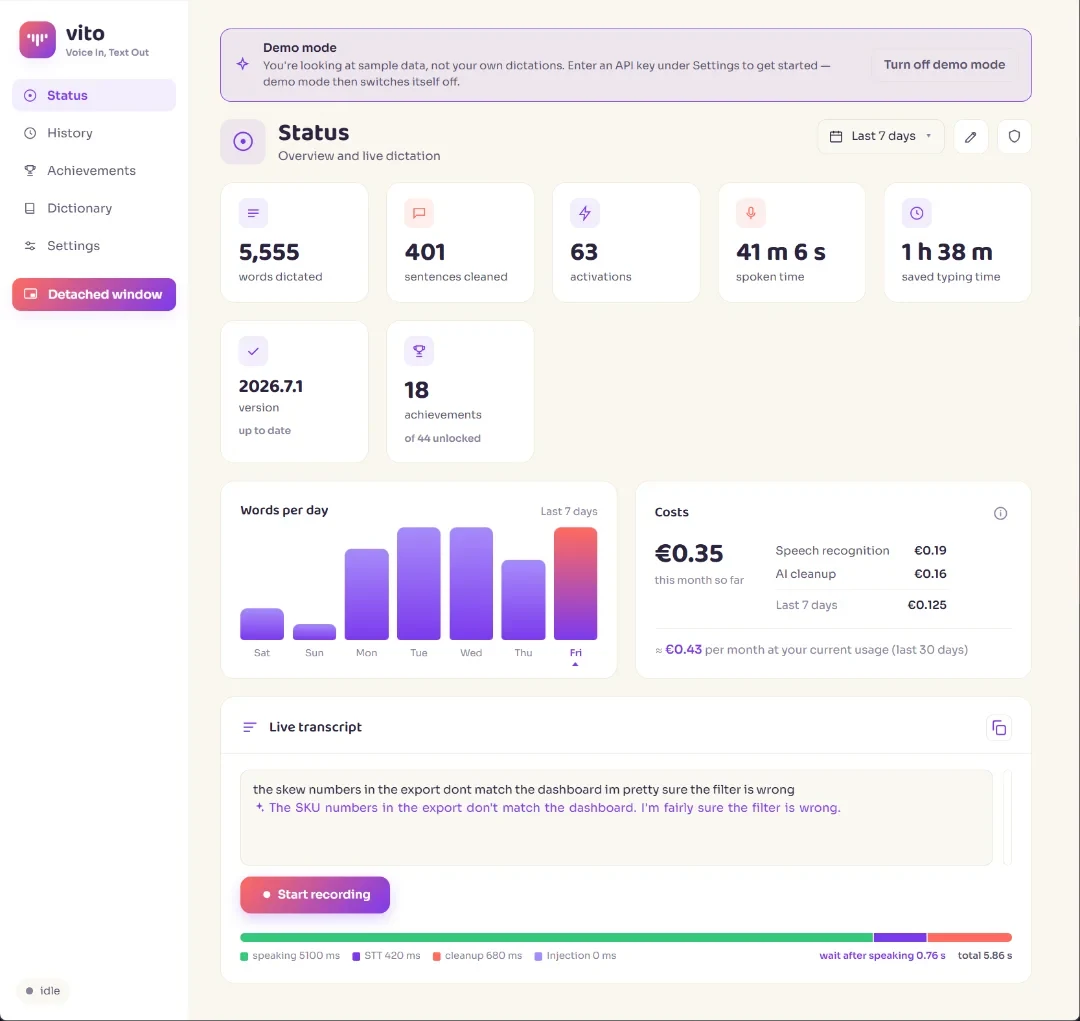
Press your hotkey
One shortcut, anywhere on your system. Vito starts listening instantly.
Free · open source · local or cloud
Press a hotkey, talk, and polished text is pasted into whatever app you're in. Use private, zero-cost local speech-to-text or your preferred cloud provider, then choose exactly how AI cleans it up.
WindowsmacOSLinux
Vito sits in your tray and works wherever your cursor is — email, docs, chat, code.
One shortcut, anywhere on your system. Vito starts listening instantly.
Speak naturally, in any of 60 languages. Hesitations and detours are fine.
Pick one of five cleanup styles — including Business, Verbatim and Notes — or write your own prompt. Vito pastes the result where you were typing.
Vito Assist
Begin a dictation with "Vito, …" and the rest becomes a command for your AI — no mode to switch into, no button to press. Say it and it happens, right where you are working. Translate, answer a question, do the sum, find the word — or anything else you would ask an AI; the examples are just examples.
"Vito, translate to German"
then just speak — it comes back in German
"Vito, translate the clipboard to Spanish"
your copied text, translated in place
"Vito, what's the capital of France?"
answers, facts and quick calculations
"Vito, a synonym for 'important'"
synonyms, meanings and definitions
Nothing extra to learn, nothing to click
It runs on the AI you already set up for cleanup — or give Assist its own, more powerful model for sharper answers. It works in text: you get written answers and rewritten text back, not images or files. There is no assistant to summon and no mode to switch: if you can dictate, you can ask.
Pricing
Vito is free and has no subscription. Run speech-to-text locally with Parakeet and use a local OpenAI-compatible model for cleanup with zero usage fees. Prefer less system load or more languages? Choose BYOK; typical cloud providers cost about €0.15 per hour.
Drag to your monthly dictation time.
10 hours of speech / month
≈ €1.50
That's less than a single coffee. A €15/month subscription costs the same as ~100 hours of nonstop talking.
Subscription apps
Wispr Flow & friends
€12–15/mo
Vito
local or your own provider
€0/mo local
Local transcription and cleanup have no usage fees. With typical cloud providers, you would have to speak for ~100 hours in one month to spend €15.
Your AI, your choice
No API key is required. Vito can install and manage Parakeet for private, zero-cost speech-to-text on your own computer. Or bring your own key and connect directly to a cloud provider. OpenAI-compatible endpoints give you the same freedom for both transcription and cleanup — including local Whisper, Parakeet and LLM servers.
Private on-device speech-to-text · 25 languages · higher system load
Use any compatible endpoint — including your own Whisper or Parakeet server
Any OpenAI-compatible endpoint · even a local LLM on your own machine, fully offline
Run Parakeet locally and connect a local OpenAI-compatible model for cleanup: private dictation with no API key, subscription or usage fee.
BYOK is optional. If you do choose remote providers, their prices are their own — Vito adds nothing on top.
Keep the whole pipeline on your computer, or decide exactly which providers receive what.
No analytics, no telemetry, no account. Vito doesn't phone home — there is no home to phone. We never see your data, so we couldn't sell it even if we wanted to. Only the browser version on vito.talk counts, anonymously and without cookies, how often it is opened and used.
With local Parakeet, audio never leaves your computer. If you choose a remote endpoint, it goes only there. History and settings always stay local.
Every line of code is public on GitHub. Don't take our word for it — read it, build it, improve it.
Dictate in any of them — and use Vito's interface in all 60 too. Every language with more than 50 million speakers is covered.
~80% of the world covered as a native language
90%+ including second languages like English, Spanish or Arabic
Everything below is built in — no add-ons, no paid tiers. Lean back, talk with your hands if you like, and let Vito do the typing.

Every dictation is saved locally and full-text searchable. Listen back to recordings, save them, or re-copy old results — nothing you say gets lost.
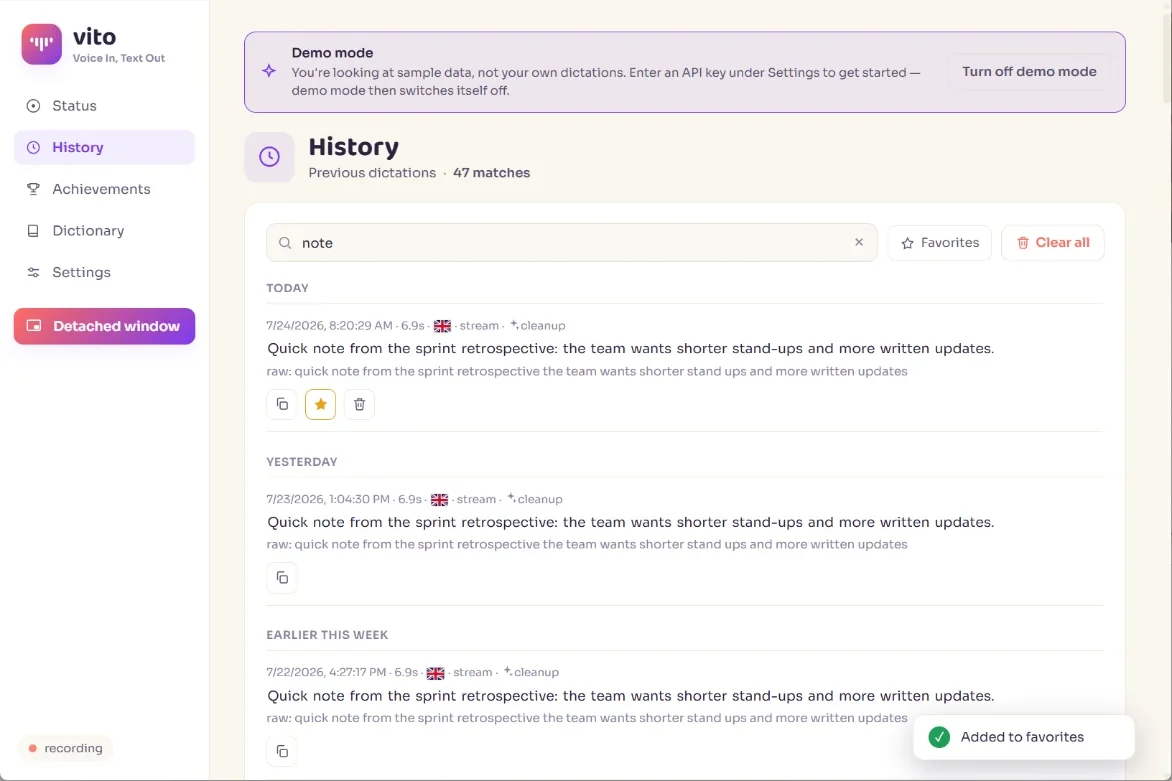
Teach Vito your names, jargon and frequent fixes once — applied automatically from then on.
A tiny always-on-top window you can park anywhere — control dictation without switching apps.
Arrange your own dashboard: words per day, typing time saved, a streak to keep alive, a calendar heatmap and your most-used words — with 50+ achievements to unlock along the way.
Light and dark, just like this site — Vito follows your OS preference automatically. So when you're dictating late at night or in a dim room, the interface stays calm and easy on the eyes.
Nothing to install: a small speech model runs on your own computer, in seven languages — fine for a first try. The app recognises better, in 60 languages, and types straight into any program.
Vito is open source — inspect it, fork it, contribute. If it saves you time, a coffee keeps development going.
Free download. No account or subscription. No API key needed for local use.
…or try it first, right in your browser: open Vito in a new tab. Nothing to install and no account.
Windows and macOS will most likely stop you once, before Vito ever runs. Neither is telling you something is wrong with it — they are telling you they don't recognise it yet. Here is what you'll see, and how to get past it.
Vito isn't signed with an Apple Developer certificate — that is a paid yearly membership, and Vito is free — so macOS blocks it the first time and doesn't offer an obvious way through. Open System Settings → Privacy & Security, scroll to the bottom, and click Open Anyway next to the note about Vito. Once is enough: after that it opens like any other app.
You may get a blue “Windows protected your PC” screen. That is SmartScreen, and it shows up because not enough people have downloaded this installer yet for it to have built a reputation — not because anything was found in it. Click More info, then Run anyway. A virus scanner may warn for the same reason.
Both warnings fade as more people download Vito. Until then you don't have to take our word for it: every build is published with a .sha256 checksum beside it, and the whole source is on GitHub to read, or to build yourself.
Vito is young — expect the occasional bug. Found one? Report it on GitHub and help make Vito better.
Yes — and it can stay free while you use it. The app costs nothing, is open source, and has no subscription and no account. The zero-cost route is fully local: Vito installs and manages Parakeet for the transcription itself, and a local OpenAI-compatible model does the cleanup, so there are no usage fees and no audio leaves your computer.
If you would rather let the cloud do the work, that can be free too: Groq's free tier handles the AI cleanup without a credit card, and AssemblyAI gives new accounts $50 in free starting credit for the transcription — together they cover both halves at no cost. Free tiers are the providers' to change, and if you outgrow them or prefer Soniox or Claude, you pay that provider directly: roughly €0.15 per hour of speech, no subscription, no monthly minimum, and nothing at all in a month you don't dictate.
No. Vito can install and manage local Parakeet speech-to-text for you. Keys are optional if you prefer Soniox, AssemblyAI or another remote provider. You can also enter an OpenAI-compatible endpoint for local or remote transcription and cleanup.
With local Parakeet, your audio stays on your computer. If you configure a remote speech-to-text endpoint, audio goes only there. Cleanup can also stay local or use the provider you choose. Vito contains no tracking or analytics, and your history stays on your machine. Only the browser version on vito.talk counts, anonymously and without cookies, how often it is opened and used.
Choose local Parakeet for stronger privacy and zero usage fees in 25 languages. Vito handles installation and management, but local processing puts more load on your computer and may use more battery. Choose cloud STT for lower system load and up to 60 languages, usually at a small usage cost. Or point Vito at any OpenAI-compatible local or remote STT endpoint, including Whisper and Parakeet servers.
Windows, macOS and Linux. On Linux, Vito even detects missing utilities and shows per-desktop-environment instructions for setting up your hotkey.
Voice In, Text Out. That's the whole app in four words.
Yes — upload a recording and Vito converts it to clean text, the same way it handles live dictation.
Yes. Vito also runs right in your browser, free and without an account. Speech recognition there is Whistle, a small model that downloads once (18 MB) and runs on your own computer, in seven languages: English, Dutch, German, French, Spanish, Italian and Polish. That is fine for a first impression, but it is not the best recognition. Your dictations stay in that browser, and the text goes to your clipboard rather than straight into another program. Install the app for 60 languages, better recognition and text typed wherever your cursor is — it can take your browser dictations along.
Vito is written 100% with Claude Code, Anthropic's AI coding agent — and we're glad to say so. With a clear vision, and used the right way, AI coding makes apps like this one possible that otherwise simply would not exist.
The same goes for this website — every page, and the build system behind it, is Claude Code's work too. Doing it this way is what makes the scope possible:
"Vibe coding" has picked up a bad name, but on its own it says little about quality. Not everyone with a driving licence drives well — and, in the same way, not every programmer automatically writes better code than an AI. What decides the result is the direction you steer it in.